Plumux Studio: Connect. Create. Captivate
Transform ordinary mobile phones into powerful live cameras and instantly cast high-quality video, images, or entire screens from any device to your TV or display, all via WLAN with WebRTC.
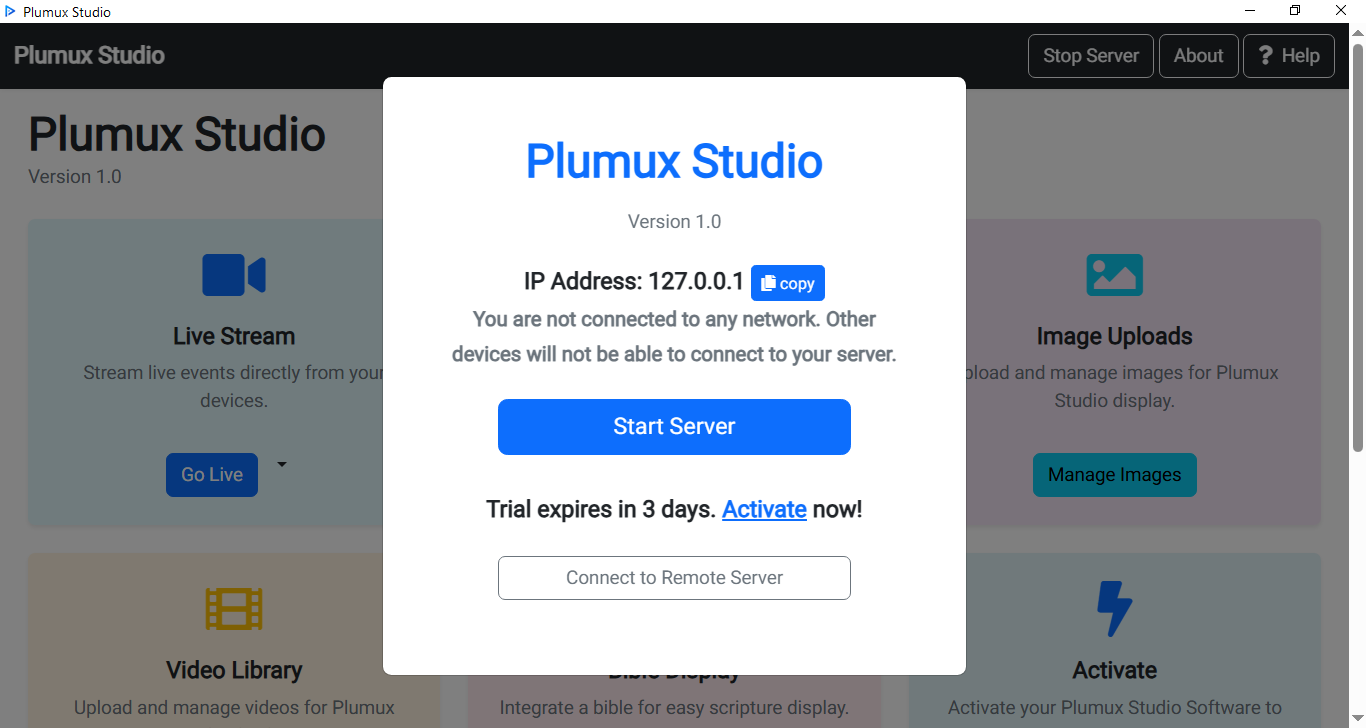
Transform ordinary mobile phones into powerful live cameras and instantly cast high-quality video, images, or entire screens from any device to your TV or display, all via WLAN with WebRTC.
Plumux Studio offers a suite of functionalities to make your live events, presentations, and content sharing effortless and professional.
Connect multiple mobile phones as high-definition cameras simultaneously, giving you dynamic angles for your live stream without expensive equipment.
Your PC becomes the central hub, receiving all camera feeds and outputting the combined stream directly to a TV, projector, or large monitor.
Leverage your existing Wireless Local Area Network for robust WebRTC transmission, ensuring low-latency, high-quality local streaming.
The control panel serves as your control center, allowing you to switch camera feeds, manage overlays, and control the entire stream effortlessly.
Enhance your church services or Bible studies with the dedicated bible feature, allowing for seamless scripture display on your main screen.
Easily upload and integrate pre-recorded images and videos into your live stream or presentation.
Plumux Studio is designed for simplicity. Follow these steps to set up your powerful streaming system.
Download and Launch the Plumux Studio Software on your PC, then launch the live display page on the app. This page will display all incoming camera feeds and your chosen output.
Download and open the Plumux Studio Client App on your mobile devices and connect to the server. They will instantly become live camera feeds ready for transmission.
Access the panel to effortlessly switch between camera views, add custom media, and manage your entire live production.
Plumux Studio is perfect for anyone needing an affordable, flexible, and high-quality solution for live content delivery.
Stream sermons, worship sessions, and events with multiple camera angles and integrated scripture display.
Facilitate interactive online classes or webinars, showcasing different angles for practical demonstrations.
Enhance virtual meetings with professional multi-camera setups, perfect for product launches or company announcements.
Provide close-ups and diverse views of your creative process for workshops and tutorials.
Showcase ingredients, preparation, and final dishes from various angles with ease.
Capture weddings, parties, or small events professionally without the need for expensive dedicated video cameras.
We're building the future of affordable live streaming, and we want you to be part of it. Download Plumux Studio today and enjoy full access to all features — completely free while we're in beta.
Join our beta program and get unlimited access to all Plumux Studio features while we perfect the experience. No payment. No credit card. No catch.
Limited to first 500 users. Help us shape the future of live streaming — your feedback matters!
Beta users will receive special pricing when we launch our premium tier
Don't just take our word for it. Hear from those who have transformed their streaming with Plumux Studio.
"Plumux Studio made our church event so easy to stream. The user-friendly interface meant volunteers could manage the stream without stress even if they weren't tech-savvy. I didn't need a tech team - just few clicks and we were live!"
Lead Pastor, Mediator's Evangelical Ministries
"Plumux Studio made streaming my wedding super easy! Everything looked so clear, and setup was a breeze. I loved that we could switch between camera angles effortlessly. Honestly didn't expect it to be this good - I love it!"
Event Host
"Using Plumux Studio for our recent conference was a game-changer. The video and audio quality were impressive, and the built in features saved us from juggling multiple tools. It made the entire event smooth and professional."
Event Organizer
Quick answers about getting started with Plumux Studio — 100% free during beta.
Join beta testers already streaming churches, events, and webinars like pros. Get Plumux Studio completely free — turn your phones into a professional multi-camera setup in just 5 minutes.
Download Free Beta Now100% Free During Beta • No Credit Card Required • Setup in Under 5 Minutes • Limited to First 500 Users